Program to Create a Maze Reader Solution in Python Assignment Solution
- Instructions
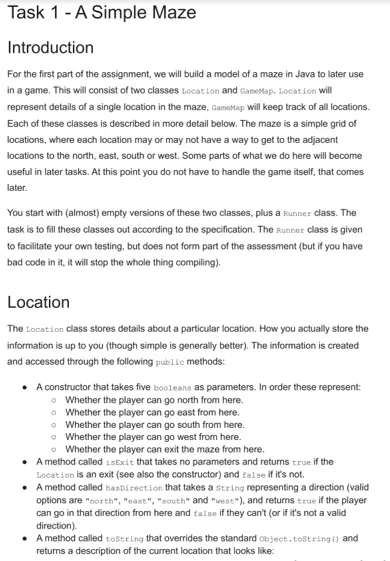
- Requirements and Specifications
Instructions
Requirements and Specifications
Source Code
import sys
symbols = [" ", "╴", "╷", "┐", "╶", "─", "┌", "┬", "╵", "┘", "│", "┤", "└", "┴", "├", "┼"]
class Position:
def __init__(self, can_go_north, can_go_east, can_go_south, can_go_west, exit):
self.can_go = {"north": can_go_north, "east": can_go_east, "south": can_go_south, "west": can_go_west}
self.exit = exit
self.player_here = False
def has_direction(self, direction):
if direction in self.can_go:
return self.can_go[direction]
return False
def is_exit(self):
return self.exit
def __str__(self):
index = 0
if self.can_go["north"]:
index += 8
if self.can_go["east"]:
index += 4
if self.can_go["south"]:
index += 2
if self.can_go["west"]:
index += 1
return symbols[index]
class Maze:
def __init__(self, height, width):
self.height = max(0, height)
self.width = max(0, width)
self.locations = []
for i in range(self.height):
row = []
for j in range(self.width):
row.append(None)
self.locations.append(row)
def get_height(self):
return self.height
def get_width(self):
return self.width
def get_position(self, row ,col):
if row < 0 or row >= self.height or col < 0 or col >= self.width:
return None
return self.locations[row][col]
def __str__(self):
res = ""
for i in range(self.height):
for j in range(self.width):
if self.locations[i][j]:
res += str(self.locations[i][j])
else:
res += " "
res += "\n"
return res
def read_maze(filename):
f = open(filename, 'r', encoding='utf-8')
lines = f.readlines()
height = len(lines)
width = 0
if height > 0:
width = len(lines[0]) - 1
maze = Maze(height, width)
for i in range(height):
line = lines[i]
for j in range(width):
c = "" + line[j]
index = symbols.index(c)
can_go_north = index >= 8
can_go_east = (index % 8) >= 4
can_go_south = (index % 4) >= 2
can_go_west = (index % 2) >= 1
is_exit = (can_go_north or can_go_west or can_go_south or can_go_south) and \
(i == 0 or i == height - 1 or j == 0 or j == width - 1)
maze.locations[i][j] = Position(can_go_north, can_go_east, can_go_south, can_go_west, is_exit)
return maze
if __name__ == '__main__':
maze = read_maze("input.txt")
print(str(maze))
Related Samples
Explore our Python Assignment Samples for comprehensive solutions to coding challenges. These examples cover topics from basic syntax to advanced data structures and algorithms, offering clear explanations and step-by-step implementations. Ideal for students seeking practical insights to excel in Python programming assignments and deepen their coding proficiency effectively.
Python
Python
Python
Python
Python
Python
Python
Python
Python
Python
Python
Python
Python
Python
Python
Python
Python
Python
Python
Python